
Have you ever lost half an hour just looking for something to watch? That is a common problem. Many people get tired of it. IPTV was made to make things easier. But before choosing a service, it is important to understand the IPTV Service Features in 2027 and what they offer. These features are not difficult to understand. They are explained below in very simple words.
IPTV means Internet Protocol Television. TV content is delivered over the internet, so there is no need for traditional cable wires or satellite dishes. You can watch it on different screens, including Smart TVs, smartphones, tablets, and streaming devices. The features are what make one IPTV service different from another.
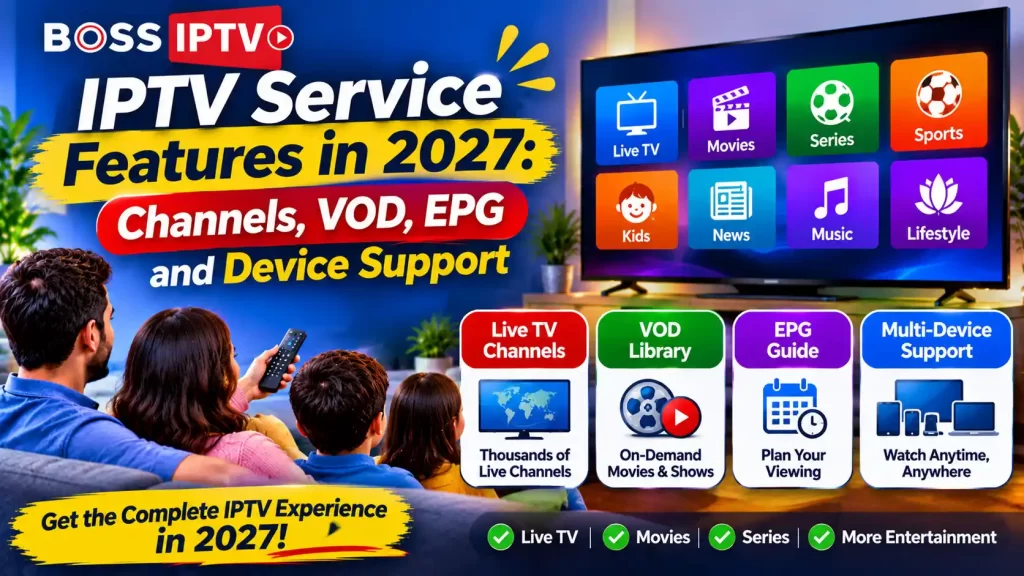
A good IPTV service has four main parts. These are live channels, on-demand videos, a TV guide, and device support. Each part does one job. When all four work well, TV is enjoyed more. When one part is missing, the whole thing feels broken. That is simple, but true. So each part should be checked.
A big channel number is often shown by services. Thousands of channels sound nice. But the same fifteen or twenty channels are watched by many people again and again. So the number is not the main thing. What matters is how well the daily channels are working. That should be looked at first.
This is why IPTV service features should be studied. A feature list shows how a service is built. It does not just show how big it is. Smooth video, a clear guide, and easy setup are worth more than a big number. These things decide if a service is liked after one week.
Live channels are the base of IPTV. News, sports, movies, kids shows, and music are shown live. Channels are put in groups by type or language. Because of this, a favorite channel is found fast. A long list is not always better. The channels that are watched by you should be there.
Picture quality is checked by many people too. A channel that keeps freezing is not useful. A clear picture and steady sound are wanted. HD and Full HD are given by many services. Some give 4K too. This takes only a few minutes. The picture should be looked at before any plan is bought.
VOD means video on demand. A show or movie can be played at any time. It does not have to be watched when it is aired. Full seasons are often kept in the library. A missed episode is not a big problem. It can be paused and started again later. That is the best part.
A VOD library is judged by how neat it is. Movies are often sorted by type, year, or language. A search bar is also needed. New titles should be added now and then. If the list is messy, even a big library is hard to enjoy. Nobody wants to scroll for ten minutes. Small things like this matter.
These VOD things should be checked:
Channels and VOD are only part of the experience. A useful IPTV setup also needs an easy-to-read program guide, compatible devices, and simple navigation. These details make everyday viewing easier.
Check whether your preferred news, entertainment, movie, and language channels are available. Also test picture quality and playback stability.
A well-organized VOD library makes it easier to find movies and shows. Look for useful categories, working search, and pause or resume options.
An EPG displays TV schedules and program information. It helps viewers check what is playing now and what is coming up next.
Check whether the service works with your preferred Smart TV, Fire TV device, Android TV, smartphone, tablet, or streaming box.
Exploring IPTV options? Boss IPTV is another service you can review while comparing features, device compatibility, and available subscription information.
Explore Boss IPTV →EPG means electronic program guide. It is the TV schedule on the screen. Show names and start times are listed for each channel. A guide can be scrolled, so channels do not have to be flipped one by one. Time is saved by a good EPG. Favorite shows are not missed.
Not all guides are the same. Some are updated every day and show one week ahead. Some are old and wrong. Shows are listed at the wrong time in them. Catch-up is also given by some guides. A show that was already aired can be watched again. This small thing is often forgotten by new buyers.
Device support is also one of the IPTV service features that should be checked. A service that works on one screen only is not good enough. TV is watched at night by many people, and phones are used when they travel. So the devices should be checked before any money is paid.
Smart TVs, Android phones, iPhones, tablets, laptops, and streaming sticks are supported by many services. An app is used on some devices. A browser is used on others. Setup is mostly easy. Each device has its own good side. This helps in making a choice. Some common devices are shown in the table below.
| Device | How It Is Used | Good For |
| Smart TV | IPTV app is installed | Big-screen family viewing |
| Android phone | App is downloaded | Watching on the go |
| iPhone and iPad | App is installed from the store | Travel and bedtime viewing |
| Laptop | Browser or player app is used | Work breaks and small spaces |
| Streaming stick | App is loaded on the stick | Turning any TV into a smart one |
| IPTV box | Plugged into the TV directly | Simple setup with a remote |
Features do not help if the video keeps stopping. Internet speed matters a lot here. For HD, 5 to 10 Mbps is often needed. For 4K, about 25 Mbps is needed. Wi-Fi can be weak at times. So a wire is often used for the main TV. This keeps the video smooth.
Buffering can also be caused by busy servers. During big games, a lot of people watch at the same time. Weak servers can be slowed down or even crashed. That is why a short test is done first by some people. Problems can be seen early, before a long plan is bought.
Some mistakes are made again and again. The cheapest plan is picked without a test. Device support is not checked. The guide is not looked at until it is needed. Internet speed is not tested at home. Most of these problems can be stopped by a few minutes of checking before a plan is bought.
An IPTV box is a small device. It is connected to the TV. The IPTV app is run on it, so the TV does not need to be smart. A remote is usually given with it. Old TVs can be fixed this way. It feels like a normal cable box. Some people like it for this reason.
An IPTV box is not a must, though. A Smart TV or a streaming stick can do the same job. The choice is made by what is already owned and how much setup is wanted. Memory, Wi-Fi strength, and app support should be checked on any box before it is bought.
An IPTV subscription is the plan that is paid for. Plans are billed by month, every few months, or by year. Longer plans are usually cheaper per month. But a long plan is only good if the service works well. So the terms should be read slowly and with care.
The number of screens that are allowed at one time also matters. One screen is allowed in some plans. More are allowed in others. A family may need many. Refund rules and support hours should be understood too.
A few small extras can make daily use better. They are not always shown up front, so they are easily missed. But after a few weeks, they are often noticed the most. Some of them are very helpful. These are the extras that should be looked for in a service.
IPTV service features shape how TV is enjoyed every day. Live channels, VOD, EPG, and device support are the four big parts. Speed, an IPTV box, and a fair IPTV subscription are the rest. When each part is checked with care, a good choice can be made easily. It just takes some time.
No single setup is best for everyone. VOD will be cared about by a movie family. Stable live streams will be wanted by a sports fan. Time should be taken to match the features with real needs. It is better than being pulled in by a long channel list.
Fill the form to get instant access!